

Phrases
Type what you want callers to hear and RetailPhone says it in a natural voice.
A phrase is a message spoken to your callers: your greeting, your hours, your address, your voicemail message. You type the words and choose a voice. There's nothing to record.
Sidebar → Phone system setup → Phrases
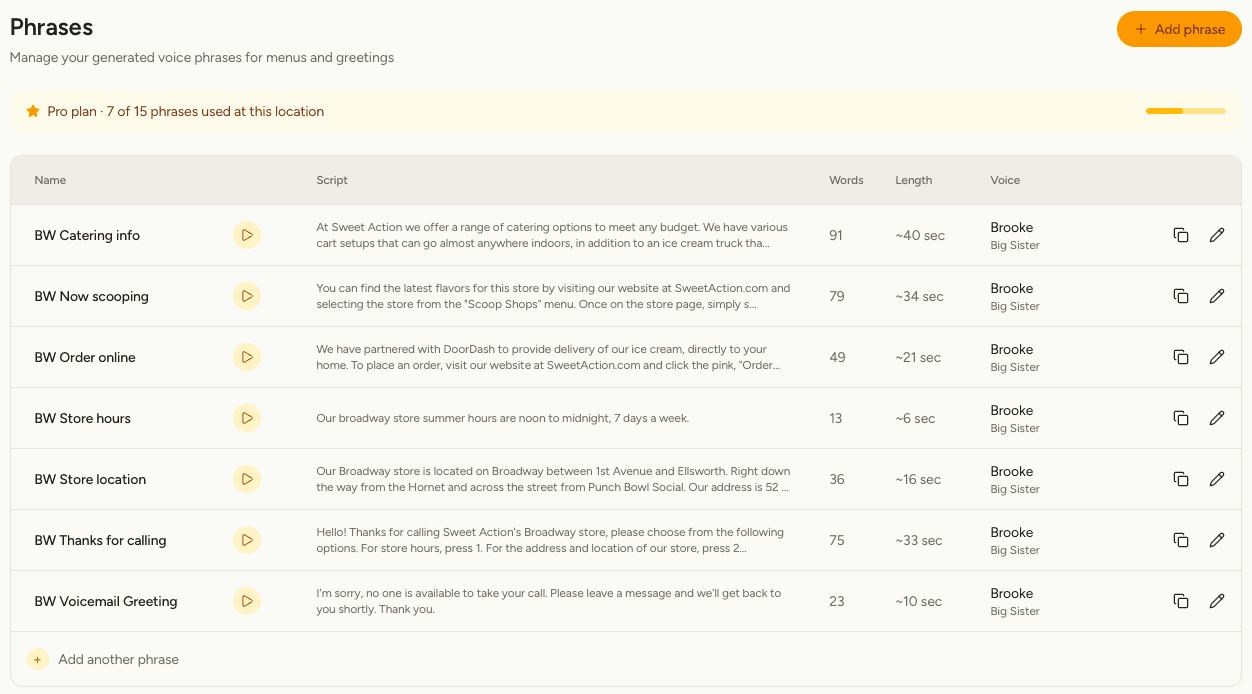
What you'll see
| Column | Meaning |
|---|---|
| Name | What you call this phrase. Callers never hear it. |
| Play button | Listen to the phrase exactly as callers hear it. |
| Script | The words that are spoken. |
| Words and Length | How long it is. Shorter is kinder to callers. |
| Voice | The voice that speaks it. |
Create a phrase
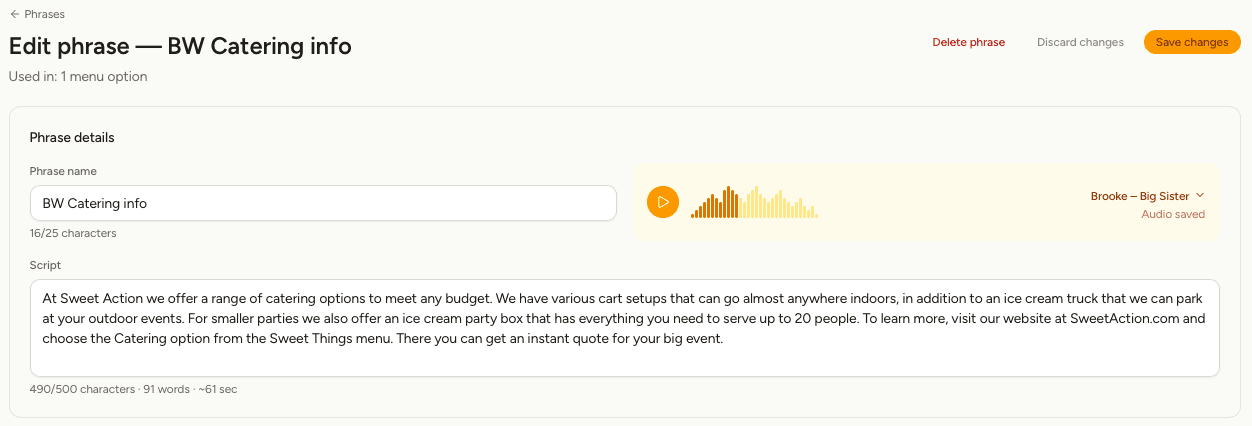
Change a phrase
Select the pencil on its row, edit the script and select Save changes. The audio is remade, and every menu and voicemail greeting that uses the phrase picks up the new version. The line under the title shows where it's in use.
This is the quickest way to handle seasonal hours: edit one phrase and you're done.
Choose a voice
Select the voice in the editor to open the voice list.
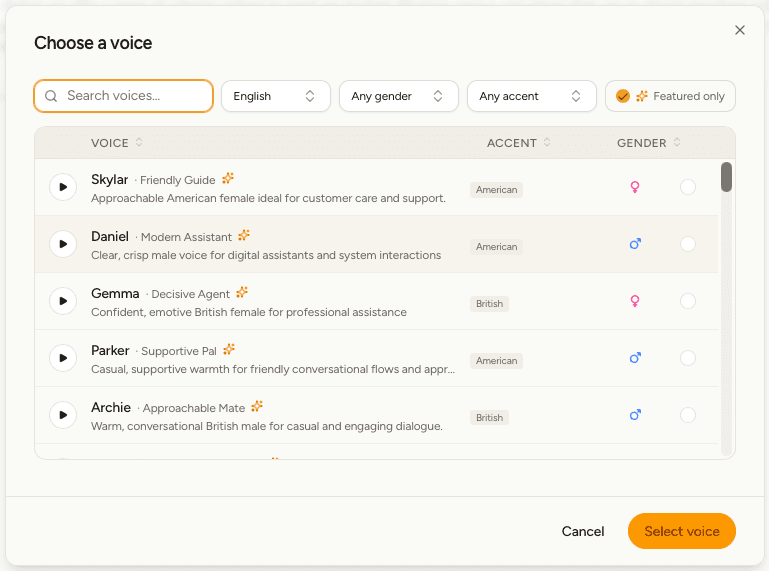
- Select the play button beside any voice to hear a sample. Every sample says the same words, so you're comparing voices rather than scripts.
- Narrow the list by language, gender or accent, or search by name. Select a column heading to sort.
- Choose one and select Select voice.
Basic includes a curated set of twenty professional voices. Pro and Scale open up the full catalogue of several hundred, including the ones marked Featured with a star — the pick of the bunch. On Pro and Scale the list starts filtered to those; turn off Featured only to see everything.
To change the voice that new phrases start with, see Location settings.
Samples are made with the same voice engine your plan publishes with, so what you hear in the list is what your callers get.
Writing scripts that sound good
- Write the way you'd say it across the counter.
- Spell out anything that could be misread: "noon to midnight" rather than "12–12".
- Use commas and full stops where you'd pause.
- Say web addresses the short way: "yourshop.com", not "h-t-t-p-s".
- Aim for under 30 seconds. Split long messages across two keys.
- Use one voice across a location so your menu sounds like one person.
Copy or delete a phrase
Select the copy icon on a row to duplicate it into the same location — handy for a second version with holiday hours.
To delete a phrase, open it and select Delete phrase.
Check where a phrase is used before deleting it. If a menu option or a voicemail greeting depends on it, change that first, or callers reach a gap.