

Move an existing number
Keep the phone number your customers already know by moving it to RetailPhone.
Moving a number from one phone company to another is called porting. Your customers keep dialling the same number, and nothing changes for them.
Sidebar → Phone system setup → Numbers → Number porting
Before you start
- Keep your current phone service running until the move is finished. Cancelling early is the most common way to lose a number for good.
- Have a recent bill to hand. Every detail on your request has to match your current phone company's records exactly — the business name, the service address and the account number as they appear on the bill, not as you'd normally write them.
- Find your account number and PIN. Some phone companies need a transfer PIN or passcode as well as the account number. If you don't have one, ask them for your "port out PIN" before you start.
Request a port
Enter the numbers you want to move, and the billing telephone number — the main number your account is billed under, which may not be one of the numbers you're moving.
Enter your current phone company's name and your account number, then the business name and address exactly as they appear on your bill.
Attach a copy of a recent bill, and a letter of authorisation if your phone company asks for one. You can add more documents later if they come back wanting something else.
Track your request
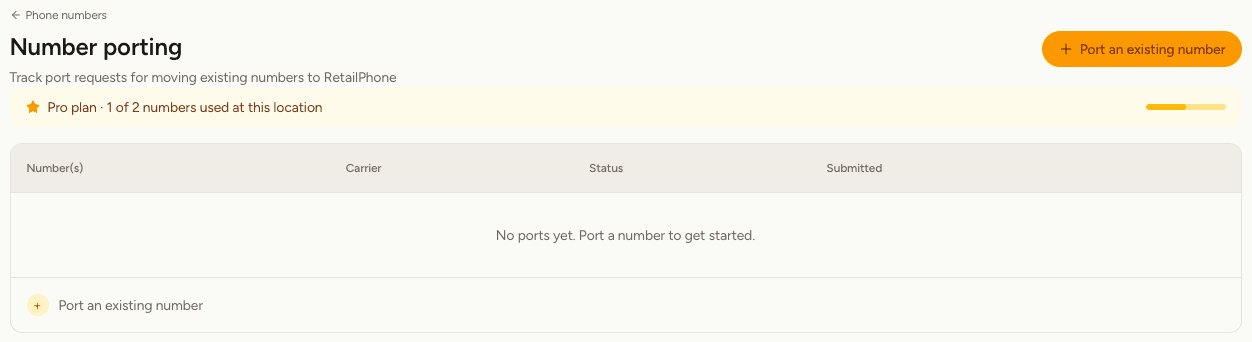
Each request shows the numbers, the carrier you're moving from, its status and the date you submitted it. Select Refresh on a row to check for an update, or open the request to read the notes your phone company has sent back.
| Status | What it means |
|---|---|
| Pending Approval | Submitted. Nobody has looked at it yet. |
| Processing | Being worked on, and sent to your current phone company. |
| Rejected / Awaiting Action | Your current company turned it down and needs something from you. Open the request to read why. This is normal and usually fixable. |
| Resubmitted | Sent back after a rejection was dealt with. |
| FOC Received | Accepted, with a date agreed. The screen shows when your number moves across. |
| Completed | Done. The number appears on your Numbers screen, ready to route. |
Once a date is agreed, the row shows it — "Ports Oct 14, 2026" — so you know exactly when to expect the switch.
If your request is rejected
Rejections are common and are usually a mismatch rather than a refusal. The most frequent causes:
- The account number or business name doesn't match the bill, character for character.
- A transfer PIN is needed and wasn't supplied.
- Your current company doesn't allow several numbers to move on one request, and wants one request per number.
Open the request, read the note, fix what it asks for, and upload any document it wants. Your request carries on from where it was.
A port takes days to weeks, and the date is set by your current phone company, not by RetailPhone. Don't book anything around it until you see FOC Received and a date.
Set up your lines, menu and phrases while you wait. Get a temporary RetailPhone number, build everything against it, and the day your own number lands you only have to point it at your menu.